

FMS Reflex V3 Bluetooth RC Airplane Gyro Stabilizer
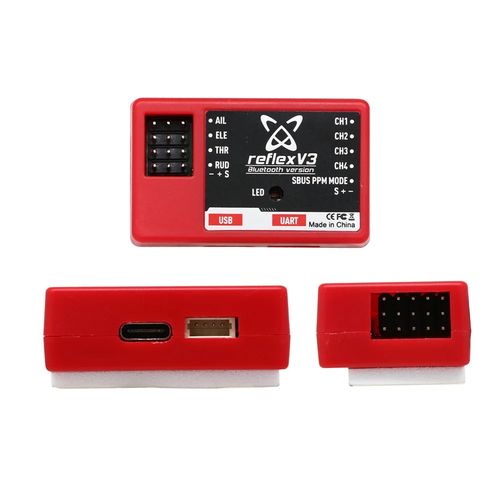
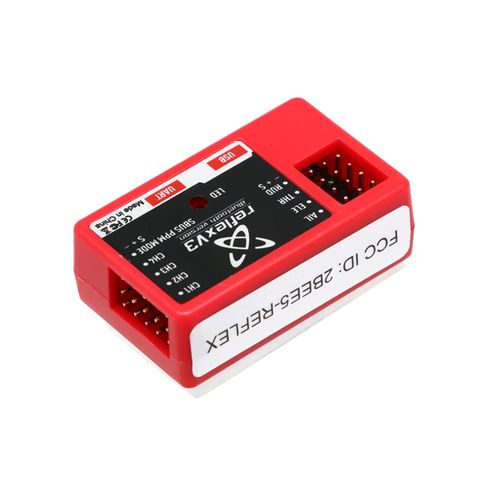
Technical Highlights
Three Selectable Flight Modes
Stabilized mode uses gyro and accelerometer data to help level the aircraft when the control sticks are released. Optimized mode counteracts in-flight disturbances. Off mode disables gyro assistance for manual control.
Bluetooth Parameter Adjustment
Connect the powered Reflex V3 to the FMSHOBBY mobile app to select model settings and adjust supported parameters. The manufacturer's manual also describes a USB-C computer connection for loading aircraft-model settings.
Multiple Receiver Input Types
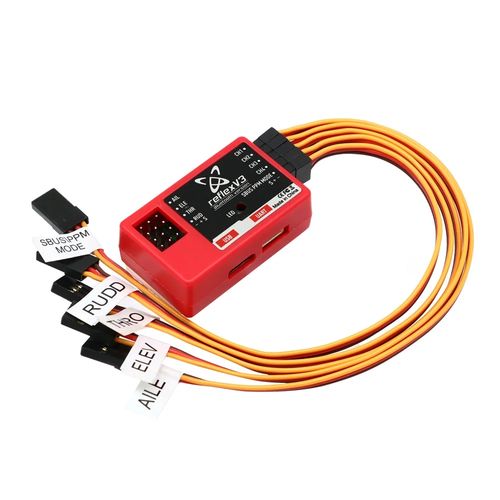
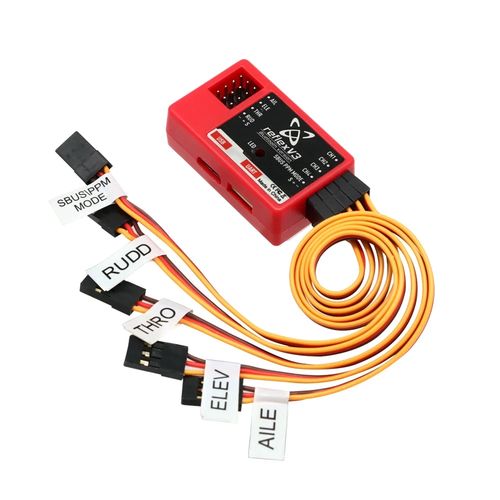
The Reflex V3 recognizes SBUS, PPM and PWM receiver signals. Its labelled connections cover aileron, elevator, throttle, rudder and gyro-mode control.
Compact Installation
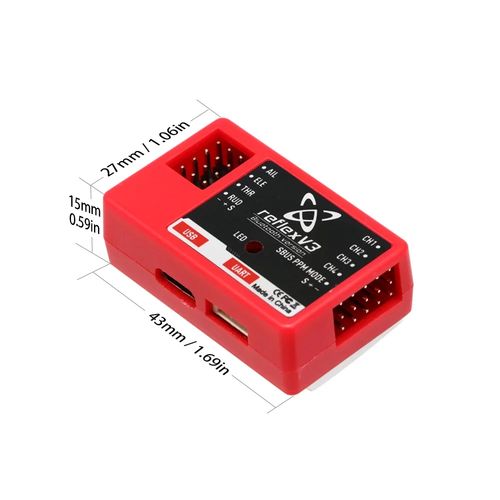
The supplied dimension image specifies a 43 × 27 × 15 mm enclosure. The unit uses a solid-state 3-axis gyroscope, a 3-axis accelerometer and a 32-bit ARM processor.
Technical Specifications
| Model | FMS Reflex V3 Bluetooth version |
|---|---|
| Product Function | RC airplane gyro stabilization |
| Processor | High-speed 32-bit ARM processor |
| Motion Sensors | Solid-state 3-axis gyroscope and 3-axis accelerometer |
| Receiver Input | SBUS, PPM or PWM |
| Flight Modes | Stabilized, Optimized and Off |
| Control Connections | Aileron, elevator, throttle, rudder and gyro-mode input |
| Configuration Connections | Bluetooth and USB-C |
| Dimensions | 43 × 27 × 15 mm |
Setup Notes
Use the FMSHOBBY mobile app for supported parameter adjustments. The manufacturer's computer software is used to load aircraft-model settings through USB-C.
Connect the receiver and control-surface leads according to the selected SBUS, PPM or PWM input method; check connector polarity before powering the system.
Place the aircraft on a level surface during startup calibration, then verify the control directions and mode-switch operation before flight.
When using a two-position transmitter switch, the manufacturer specifies switching between Stabilized and Optimized modes. A three-position setup also provides the gyro-off mode.
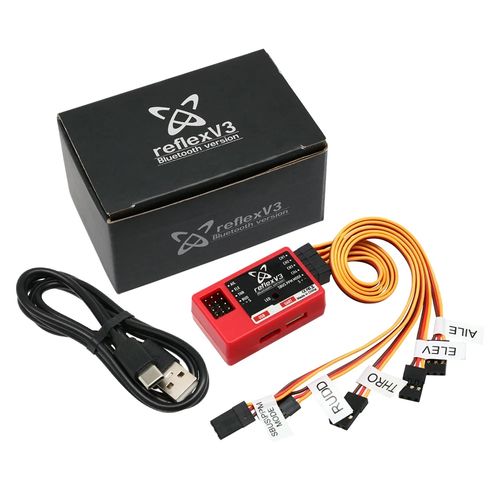
Items Shown in the Supplied Product Photo
FMS Reflex V3 Bluetooth stabilizer ×1
Five labelled receiver/control connection leads: SBUS/PPM MODE, RUDD, THRO, ELEV and AILE
USB-A to USB-C cable ×1
FMS Reflex V3 branded box ×1
FAQ
What is the difference between the three flight modes?
Stabilized mode helps level the aircraft, Optimized mode counteracts in-flight disturbances, and Off mode disables gyro assistance for manual flight.
Which receiver signal types does the Reflex V3 accept?
The manufacturer's manual specifies automatic recognition of SBUS, PPM and PWM receiver input systems. Follow the relevant wiring method and verify cable polarity.
Can I adjust the stabilizer from a phone?
Yes. The Bluetooth version connects to the FMSHOBBY mobile app for supported parameter adjustments after the unit is powered.
Is this a GPS autopilot for helicopters or drones?
No. The supplied unit and FMS documentation identify it as an RC airplane gyro stabilizer. GPS navigation and helicopter operation are not established by the supplied product evidence.
How should I check the unit before flight?
Allow startup calibration with the aircraft level, then check the control-surface directions, receiver channels and selected gyro mode before flying.
B2B Procurement FAQ
Can the Bluetooth version be specified on a purchase order?
Yes. Identify the required product as “FMS Reflex V3 Bluetooth version” and confirm the supplied version during quotation.
Are the pictured cables included with every order?
The supplied product photo shows five labelled connection leads and a USB-A to USB-C cable. Confirm the packing list for the quoted batch before placing an order.
Are samples, MOQ or customization available?
Sample availability, MOQ and any customization options are not established by the supplied product material and must be confirmed during quotation.
What lead time, warranty and shipping terms apply?
Lead time, warranty and shipping terms must be confirmed for the quoted order. Promotional transport images in the source archive do not establish terms for this product listing.
Leave Your Message
Products categories
-
ZMR NX4 EVO Fixed-Wing Gyro Flight Contr
-
ZMR NX4 PRO Fixed-Wing Gyro Flight Contr
-
CUAV X7+ Pro Autopilot Flight Controller
-
RadioLink F722 Betaflight Flight Control
-
SpeedyBee F405 V5 OX32 55A FPV Stack
-
SpeedyBee F405 V4 BLS 60A FPV Stack
-
SoloGood F722 V1.0 60A FPV Stack
-
SIYI N7 H7 Autopilot Flight Controller
-
SpeedyBee F7 Mini 35A BLHeli_S Stack
-
RadioLink CrossFlight V1.0 Flight Contro